
Incident Management Software for IDD and HCBS Providers
Real-Time Tracking and Oversight for Human Services Providers
Therap's incident management tools give your team the clarity and speed needed to handle event reporting without administrative delay — from the initial report through automated alerts, investigation, and final resolution. In Home and Community‑Based Services, that speed matters: incidents need immediate visibility and clear documentation to protect individual safety and satisfy state compliance requirements.
Functionality
Incident Reports
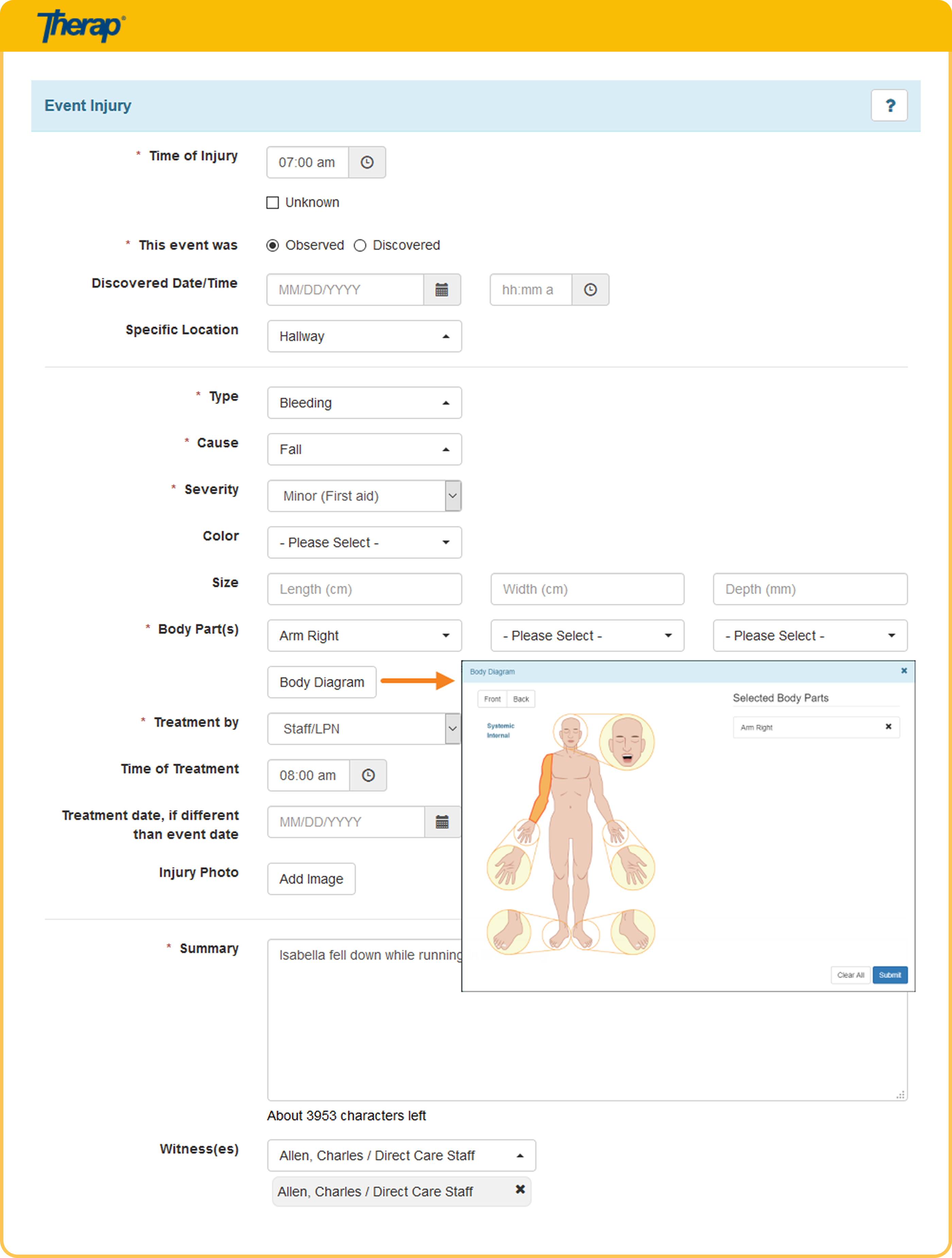
Log injuries, behavioral events, medication errors, emergency situations, and more from the point of care.
Video Documentation
Securely upload and attach videos to incident reports and investigation files to provide vital visual evidence and context.

Automated Alerts & Notifications
Send real‑time high‑priority, medium‑priority, or low‑priority alerts to supervisors and designated staff the moment a report is submitted.
Investigations & Resolutions
Conduct thorough reviews, assign investigator tasks, record witness statements, and attach supporting documentation in a central workflow.
Abuse, Neglect & Exploitation Tracking
Flag and isolate sensitive allegations with restricted access to protect privacy during investigations.
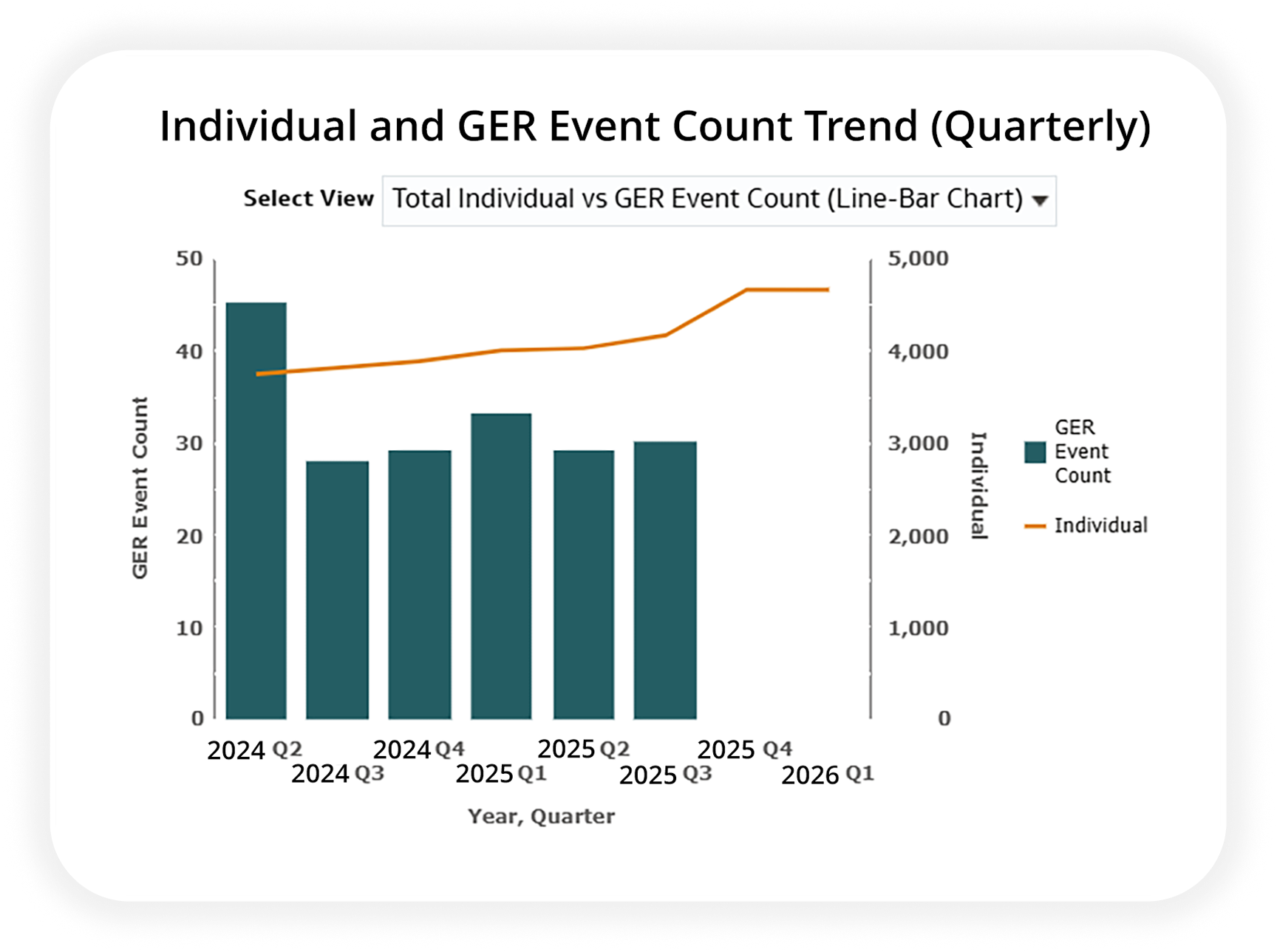
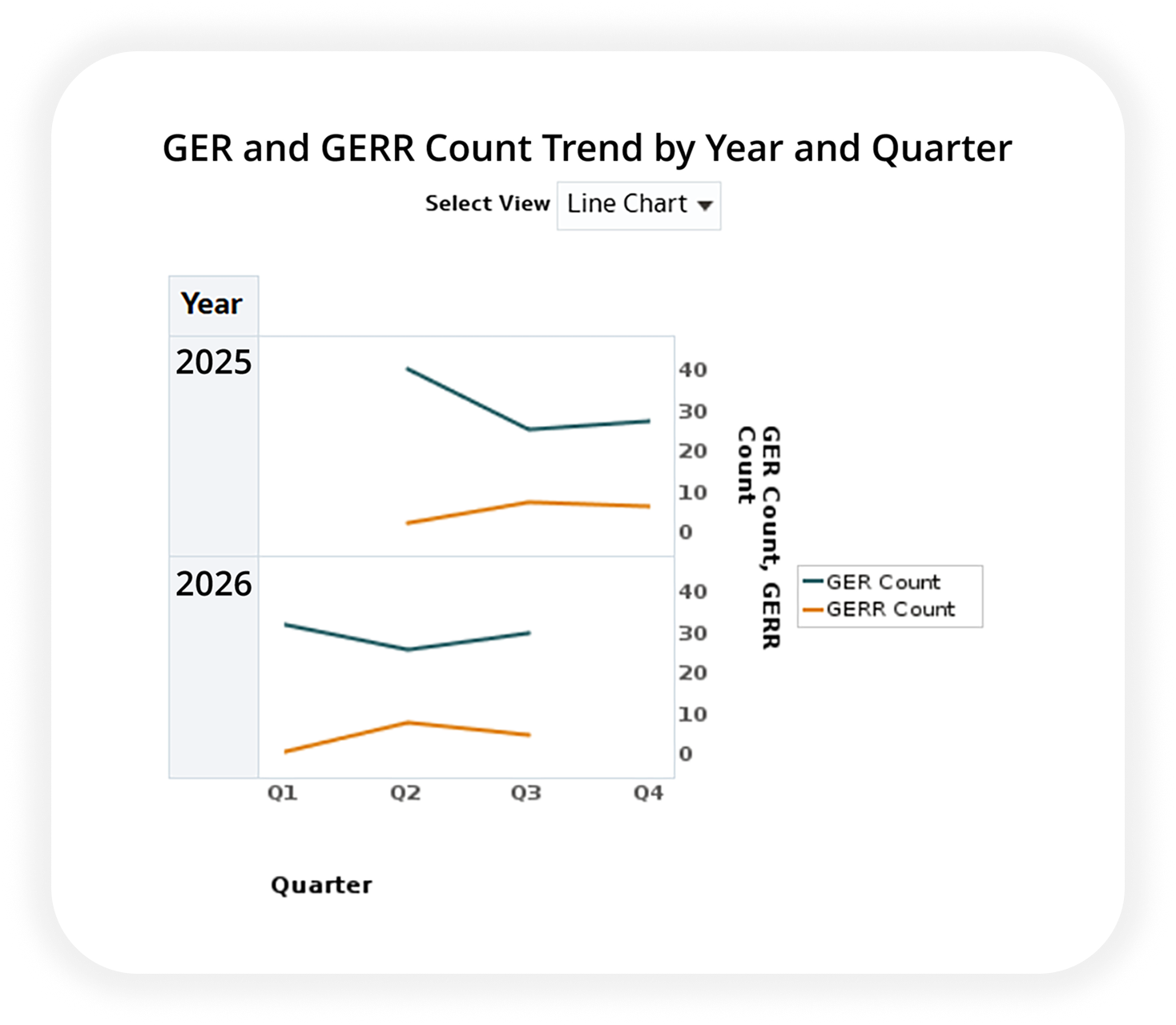
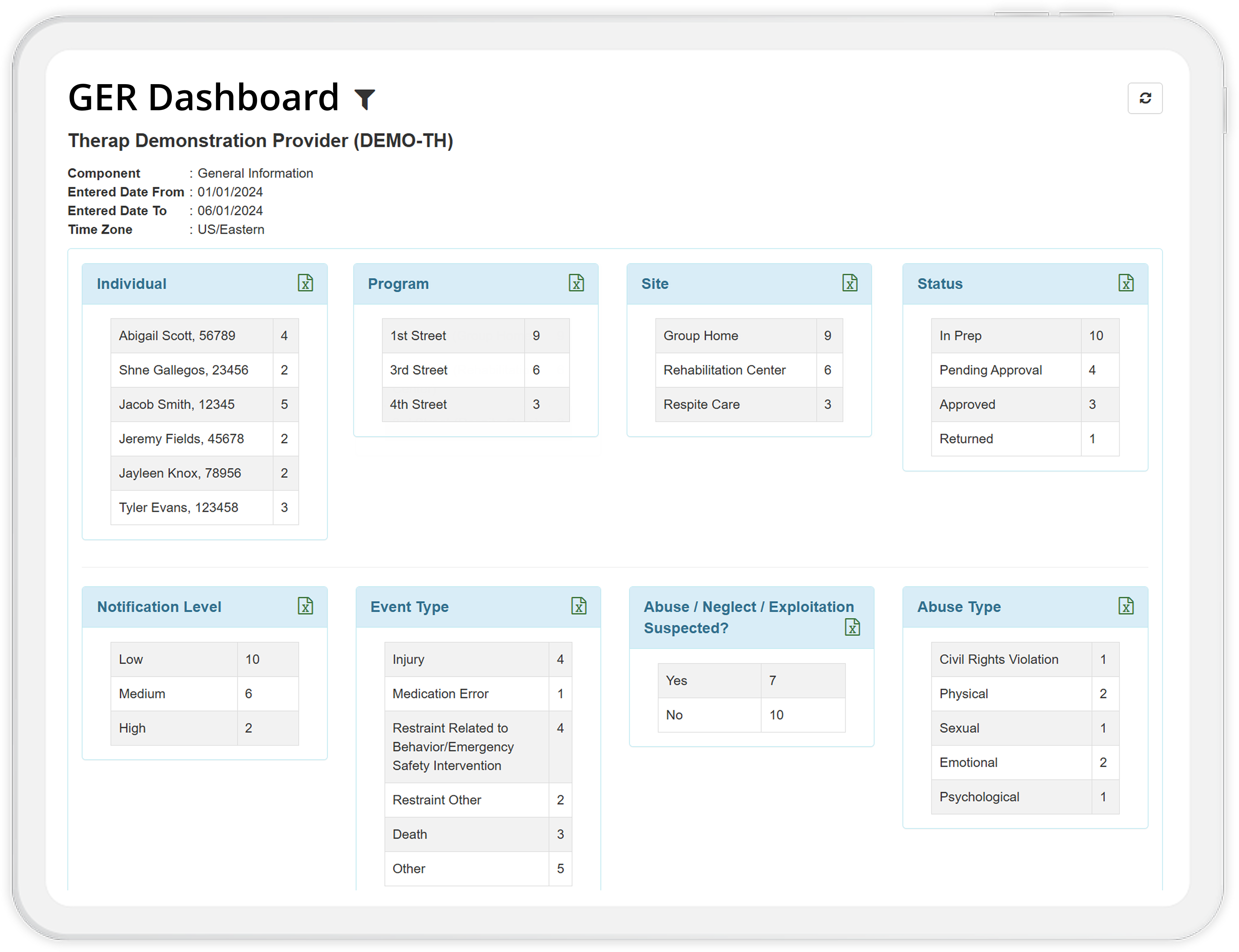
Pattern Analysis & Dashboards
Track trends across programs, locations, or individuals using
data‑driven reporting to identify risks before they recur.
See Performance
Dashboards
And More!
Benefits

Capture Event Context
Combine incident reports, video documentation, and timestamped actions to give investigators and oversight teams a complete, objective picture of incidents.
Maintain Regulatory Compliance
Standardized workflows align with state and federal reporting mandates, helping provider agencies fulfill oversight obligations.
Protect Sensitive Information
Strict role‑based permissions restrict access to sensitive reports, keeping allegation details secure and accessible only to authorized personnel.
"My favorite Therap Module is the GER Dashboard. You can easily filter incidents to find contributing factors that may allow you to minimize reoccurrences by making a few adjustments."
“Therap allows us to have incident reports–which used to have to be picked up manually– instantaneously moved to the lower levels of administration that need to oversee and begin. We have a four hour limit for when we need to call in any allegations of abuse, neglect, or exploitation. That was near impossible with the situations that were happening before. We now have a digital way to streamline this information and move it through quickly.”
"The GER Module allows for management to really capture important information for reportable and non‑reportable events. Having the different event types and multiple events per each GER (or the capability of) helps look at some of the types of events agencywide to see if there are any trends or common events that require collecting."
Therap Ratings and Reviews
Frequently Asked Questions
What is a General Event Report (GER) in Therap?


The General Event Report (GER) is Therap's tool for logging reportable incidents such as injuries, behavioral events, medication errors, restraints, and unusual occurrences. It provides a structured, complete framework to ensure care teams capture thorough data for every event, supporting follow‑up and regulatory oversight.
Can I add state-specific information to a GER?
Yes, for supported states. Therap offers dedicated state‑specific reporting options within GERs for many state jurisdictions. Where available, this allows agencies to capture the precise details, categories, and metrics mandated by local oversight agencies directly within the system, eliminating the need for separate paper forms or disjointed tracking systems.
Can I document incidents involving multiple individuals?
Yes. Therap allows users to capture events that involve multiple individuals simultaneously. The system enables you to document shared details of a multi‑individual event in a single workflow while automatically generating separate, confidential records for each individual, maintaining strict privacy and individual record integrity.
Can I include video documentation in an incident report?
Yes. Therap allows authorized users to securely upload and attach video files to GERs and investigation records. This ensures that visual evidence of an event or its aftermath is safely stored alongside the written incident details while maintaining strict privacy and HIPAA compliance.
How does Therap notify supervisors when a critical incident is reported?
When a staff member submits a GER, action items automatically populate on the To‑Do dashboard for users with review and approval privileges. If configured in the agency's GER Notification Rules, the system can also send internal SComm alerts, email/SMS notifications, and mobile app push notifications.
Can Therap handle investigations and incident resolutions?
Yes. The GER Resolution module allows designated reviewers and investigators to record investigation steps, gather witness statements, attach evidence, and document corrective actions through a structured resolution workflow.
How does Therap support state and federal compliance requirements?
Therap's incident reporting tools align with Section 1915(c) HCBS waiver requirements and state oversight standards. The software creates audit‑ready records with timestamped digital signatures and offers configurable fields to match state‑specific reporting metrics.
Is sensitive information protected during investigations of abuse, neglect, and/or exploitation?
Yes. Reports flagged for suspected abuse, neglect, or exploitation automatically restrict visibility. Only users with specific administrative permissions can view or review these sensitive records, keeping details confidential throughout the investigative process.
Can agencies analyze incident data to identify patterns and prevent future events?
Yes. Therap offers a wide range of flexible reporting options, from granular
individual‑level reports to comprehensive, agency‑wide analytics. Through
Business Intelligence (BI) Dashboards and dynamic trend reporting, agencies can analyze
data across individuals, programs, locations, or incident types. This allows quality
assurance teams to pinpoint root causes, detect systemic patterns, and implement
proactive risk mitigation strategies across the entire organization.
See Performance
Dashboards